
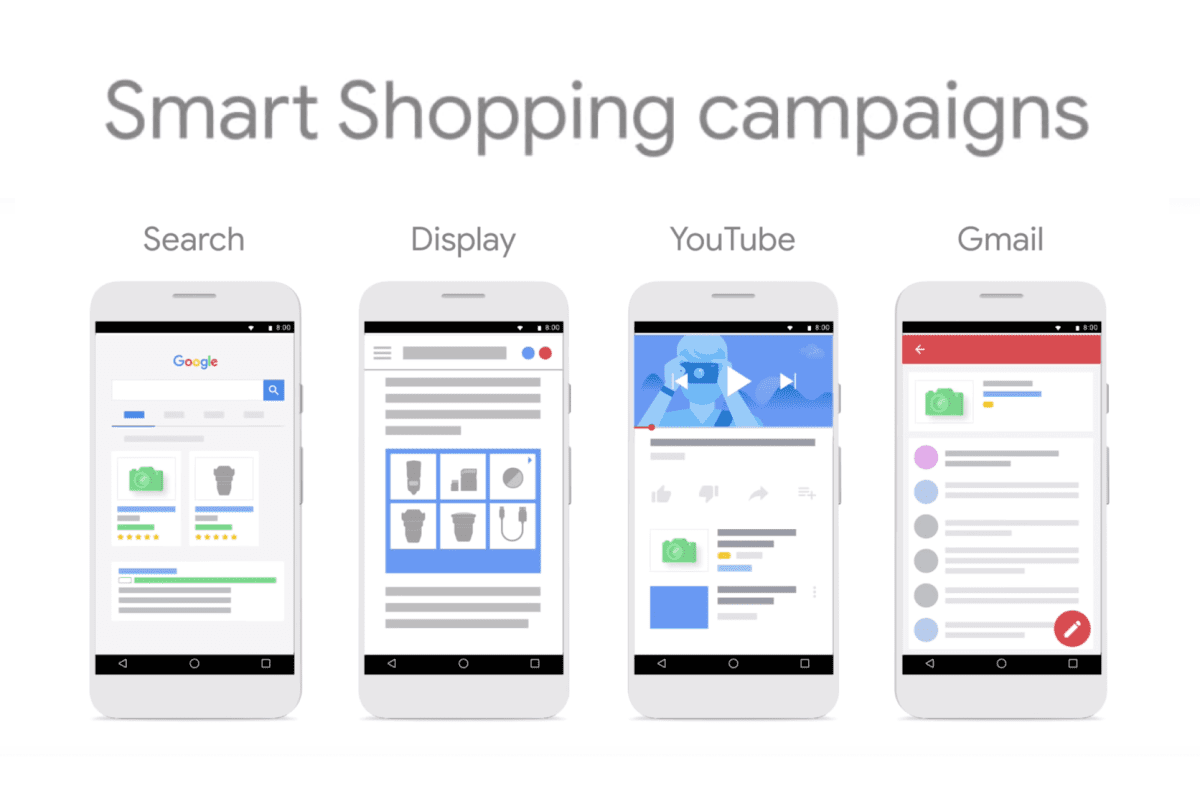
Google Smart Shopping campaigns and their evolved successor, Performance Max, are a mixed blessing for ecommerce advertisers. Set them up and Google’s machine learning handles bidding, placement, and audience targeting across the Google network. At their best, they’re the most efficient paid-media channel for ecommerce brands. At their worst, they’re a black box that quietly torches budget on low-margin SKUs, wrong audiences, and non-converting placements. The difference between the best-case and worst-case outcomes isn’t luck, it’s a set of specific advanced strategies most operators aren’t using. This article covers the ones that move the needle.
Why “set it and forget it” fails
Google’s sales pitch for Smart Shopping (and now Performance Max) emphasizes automation. Feed Google your products, set a budget, let the algorithm work. In low-complexity cases, one product category, tight margin structure, clean feed, this actually can work.
It fails for most ecommerce brands because:
SKU-level margin varies dramatically
Most stores have a mix of high-margin hero SKUs and low-margin commodity items. Google’s algorithm optimizes for revenue or ROAS without understanding margin differences. Without margin-aware feeds, the algorithm pushes budget toward SKUs that look good on revenue but bleed margin.
Branded vs. non-branded traffic is mixed
Performance Max will happily serve ads to people searching your exact brand name, traffic you were going to convert anyway through organic. You pay Google for traffic you would’ve converted for free. Without structural separation, a meaningful percentage of Smart Shopping spend is cannibalizing free branded traffic.
New-customer vs. returning-customer bidding is uniform
Most brands value new customers differently than returning customers. Google’s default Smart Shopping setup doesn’t distinguish between the two. Repeat customers get bid-up at the same rate as prospects, distorting acquisition economics.
Feed quality is undervalued
The quality of your product feed (titles, descriptions, categories, GTIN data, image quality) dramatically affects Smart Shopping performance. Most brands underinvest in feed quality and blame the algorithm.
Negative keywords are ignored
In Smart Shopping’s closed model, traditional negative keywords don’t work the same way. But account-level negatives and audience exclusions do, and most brands don’t use them.
Advanced strategies that actually improve outcomes
1. Margin-segmented product feeds
Split your product feed into margin tiers. High-margin hero products go in one Smart Shopping campaign with an aggressive ROAS target. Low-margin commodity items go in a separate campaign with a conservative ROAS target. Mid-margin items get their own campaign.
This segmentation lets the algorithm optimize appropriately for each margin tier. Hero products get bid up on high-intent traffic; commodity items get bid up only on lower-cost impressions. Overall account performance typically improves 15-30% just from this segmentation.
Implementation: custom labels in your Google Merchant Center feed, then use those labels to build separate Smart Shopping / Performance Max campaigns.
2. Branded vs. non-branded campaign separation
Exclude your brand terms from Smart Shopping / Performance Max campaigns through account-level negative keywords. Run a separate Search campaign (or Standard Shopping campaign) for branded searches.
Why this matters: Google’s automated campaigns will eat up all branded traffic (because it’s high-conversion) unless you explicitly prevent it. By separating, you stop paying Smart Shopping premium for traffic you were getting for near-zero through organic. Meaningful ROAS improvement on Smart Shopping; no reduction in overall branded performance.
3. New-customer bidding
Performance Max’s new-customer acquisition feature lets you bid differently on new customers vs. existing ones. Set a new-customer-only ROAS target (typically more aggressive than blended, since new customers are worth more over lifetime value) and configure customer match audiences so Google knows who’s new vs. returning.
Brands that implement this correctly typically see new-customer acquisition costs improve 20-35% while maintaining overall account efficiency.
4. Audience signals even though it’s automated
Performance Max lets you provide “audience signals”, first-party audiences, interests, demographics, that inform the algorithm even though it makes the final bidding decisions. Most brands don’t bother; the algorithm supposedly works without them. In practice, providing strong audience signals (past purchasers, cart abandoners, high-value customer lookalikes) meaningfully improves the algorithm’s convergence speed and final performance.
5. Aggressive negative keyword lists
Even though traditional keyword targeting isn’t available in Smart Shopping, negative keywords at the account level are. Build a full negative-keyword list, common irrelevant queries in your category, competitor brand terms you don’t want to pay for, low-intent informational queries. A good how to use negative keywords for Google Shopping guide walks through specific patterns.
For most accounts, a rigorous negative-keyword list cuts 15-25% of wasted spend within 60 days of implementation.
6. Feed optimization as ongoing practice
Product feed quality directly correlates with Smart Shopping performance. The feed elements that matter most:
- Product titles: specific, keyword-rich, include brand + product type + key attribute. “Nike Air Max 90 Men’s Running Shoes White Size 10” beats “Air Max 90 White.”
- GTINs: real GTINs, not placeholders. Google heavily favors products with valid GTINs.
- Images: clean, high-resolution, lifestyle context for some products.
- Product category: use Google’s taxonomy, not your internal taxonomy. “Apparel & Accessories > Clothing > Shirts > T-Shirts” beats your custom category.
- Descriptions: substantive, not just a restatement of the title.
Brands that invest in feed quality, typically through a dedicated feed management tool like DataFeedWatch, Feedonomics, or Channable, consistently outperform brands with basic Shopify default feeds.
7. Asset group variety in Performance Max
Performance Max allows multiple asset groups (text, images, videos) per campaign. Most brands upload the minimum and move on. Brands that populate rich asset groups, 15+ images, 5+ videos, multiple text variations, give the algorithm more material to work with and see meaningfully better performance.
8. Video asset priority
Performance Max campaigns without video assets perform worse than those with video. The algorithm has fewer placements to work with. Even simple product videos (30-second clips, mix of lifestyle and product shots) meaningfully improve performance. Brands skipping video are leaving performance on the table.
9. Seasonal budget pacing
Smart Shopping and Performance Max don’t pace budget perfectly for seasonal businesses. During peak periods (Black Friday, holiday season), manually increase daily budgets significantly. During troughs, decrease. The algorithm doesn’t anticipate seasonality well on its own.
10. ROAS target iteration
Don’t set one ROAS target and leave it. Iterate:
- Start conservative (tighter ROAS target)
- If volume is constrained, gradually relax target
- If volume is growing but ROAS is degrading, tighten target
- Target should float based on current performance, not lock in place
Brands that actively manage ROAS targets outperform brands that set-and-forget by 20-40% on account performance.
Common failure patterns
Running one giant Smart Shopping campaign for all products
The algorithm optimizes at the campaign level. One campaign covering 500 SKUs across margin tiers produces suboptimal outcomes for most of them. Segmentation matters.
Assuming Google’s recommendations are always right
Google’s in-platform recommendations often bias toward outcomes Google wants (more spend, broader targeting) rather than outcomes the brand wants (profitable growth). Use recommendations as data points, not directives.
Not using Customer Match
First-party customer data fed into Google Ads via Customer Match meaningfully improves algorithm performance. Brands with 10k+ customer emails should always be using this.
Ignoring attribution
Last-click attribution undervalues Smart Shopping. Most accounts should be running at least data-driven attribution; sophisticated ones use incrementality testing.
When to hire help
Smart Shopping / Performance Max optimization is a specialty that benefits from outside expertise for most brands. Signs you should consider hiring:
- Your Smart Shopping ROAS has been flat for 6+ months despite account growth
- You don’t know your margin per campaign, just blended ROAS
- You’re doing basic setup without margin segmentation or new-customer bidding
- Your feed hasn’t been audited in over a year
- You’ve never done a full negative-keyword sweep
Specialty ecommerce paid-media agencies (including full-stack shops with strong Google Shopping practice) typically improve account performance 25-50% in the first quarter after engagement through the strategies above. Worth the engagement for any brand spending $20k+/month on Google Shopping. A good primer on smart shopping campaign optimization covers the basics if you’re evaluating whether to bring in specialist help.
Final take
Google Smart Shopping and Performance Max aren’t magic. They’re sophisticated automated bidding systems that work well when fed the right inputs and work poorly when treated as set-and-forget. The brands getting exceptional results aren’t lucky, they’re running the specific strategies above systematically. The gap between average and excellent Smart Shopping performance is typically 2-3x on ROAS and 3-5x on profitable growth. The difference is not in the platform; it’s in how you configure and manage it.